.png)
The Backchannel
The HubSpot Setup That Saved Our RevOps Team 10 Hours a Week
Featured Blog


The 10 Hours You're Losing Without Realizing It
Most RevOps teams don't lose time in big, visible chunks. They lose it in a hundred small leaks spread across the week a manual data export here, a lead-routing decision made by hand there, a report rebuilt from scratch every Monday because no one set it up to run automatically. Individually, each of these tasks takes a few minutes and feels too small to bother fixing. Collectively, they consume entire days, and the people doing them are usually the most expensive and most capable people on the operations team.
When we sat down to audit where our RevOps team's time was actually going, the result was uncomfortable. A significant fraction of the week we conservatively estimated ten hours across the team was being spent on tasks that HubSpot could do automatically, if it were configured correctly. The platform we were already paying for had the capability to eliminate most of this work. We just hadn't set it up to do so, because the initial implementation had been rushed and nobody had gone back to do it properly since.
This post is the specific HubSpot configuration that recovered those ten hours. It's not a list of features. It's a set of deliberate setup decisions about lead routing, data hygiene, reporting, and workflow automation that together eliminated the manual work that was quietly consuming our team. If your RevOps team is drowning in repetitive tasks, the problem is rarely that you need a new tool. It's that the tool you have isn't configured to do the work it's capable of.
Why HubSpot Implementations Underperform
Before getting into the specific configuration, it's worth understanding why so many HubSpot instances end up underutilized. The pattern is almost always the same, and recognizing it is the first step to fixing it.
HubSpot gets implemented during a period of urgency. A company is growing, the old system isn't scaling, and there's pressure to get the new platform live quickly. The implementation focuses on the minimum required to start operating: contacts get imported, a basic deal pipeline gets set up, the email integration gets connected, and the team starts using it. The advanced capabilities the automation, the sophisticated routing, the custom reporting get deferred to "later," because they're not strictly required to start working.
Then later never comes. The team gets busy operating the business in the new system. The person who led the implementation moves on to other priorities or leaves the company. The institutional knowledge of how to configure the advanced features fades. And the instance settles into a state where it captures data and runs a basic pipeline but does almost none of the automation that justified buying a sophisticated platform in the first place. The company is effectively paying for a Ferrari and driving it like a sedan.
The fix is to treat HubSpot configuration as an ongoing discipline rather than a one-time implementation. The specific settings below are where we found the most leverage, but the meta-lesson is that your platform almost certainly has capability you're not using, and recovering it is a matter of deliberate configuration, not additional spend.
There's also a psychological barrier worth naming. Configuration work is invisible and unglamorous nobody celebrates a well-built lead-routing workflow the way they celebrate a closed deal. So it perpetually loses the competition for attention against more visible priorities, even though the cumulative return on a few days of configuration work often exceeds the return on far more celebrated activities. The teams that win here are the ones that treat operational configuration as real work deserving of dedicated time, rather than something to squeeze in between "more important" things that never quite leave room for it.
Configuration 1: Automated Lead Routing
The single largest source of manual work we eliminated was lead routing. Before the fix, new leads came into HubSpot and a member of the operations team manually reviewed each one, determined which sales rep it should go to based on territory, company size, and current rep capacity, and assigned it by hand. This was happening dozens of times a day, and each decision took a few minutes of context-switching. It was also slow leads sometimes sat unassigned for hours, which meant slower follow-up and lost momentum on genuinely interested prospects.
HubSpot's workflow automation can do all of this routing automatically, but it requires you to encode your routing logic explicitly. We built a workflow that routes leads based on a clear set of rules: company size determines the segment, segment plus territory determines the rep pool, and round-robin distribution within the pool balances load across reps. We added conditional logic for high-priority signals a lead from a target account or one exhibiting high-intent behavior gets routed immediately to a senior rep and flagged for fast follow-up.
The setup took about a day to build and test properly. It eliminated roughly three hours of manual work per week and, more importantly, dropped our average lead-assignment time from hours to seconds. Faster routing meant faster follow-up, which meant better conversion on the leads that mattered. The recovered time was valuable; the improved speed-to-lead was arguably more valuable.
The hidden benefit of encoding routing logic into a workflow is that it forces you to make your routing rules explicit and consistent. When routing happens in someone's head, it's subject to that person's judgment, mood, and memory and it varies day to day in ways nobody can audit. When it's encoded in a workflow, the rules are visible, consistent, and improvable. If a routing rule turns out to be suboptimal, you can see it, change it, and measure the effect. Manual routing isn't just slow; it's opaque, and opacity is the enemy of improvement. The act of writing down the routing logic clearly often surfaces inconsistencies and bad assumptions that had been silently degrading lead distribution for months.
Configuration 2: Data Quality Automation
The second major source of manual work was data cleanup. Records were coming into HubSpot in inconsistent formats company names entered five different ways, job titles in free text rather than standardized values, phone numbers in varying formats, missing fields that someone later had to fill in manually. Someone on the RevOps team was spending a meaningful chunk of every week cleaning this up by hand so that reporting and segmentation would work correctly.
Much of this is preventable through HubSpot's data quality features and a few well-designed workflows. We implemented property validation to enforce standardized formats on entry, so that data comes in clean rather than being cleaned later. We built workflows that automatically standardize known variations normalizing company name formats, mapping free-text job titles to standardized seniority categories, formatting phone numbers consistently. We set up automated enrichment to fill missing firmographic fields from HubSpot's data and our connected enrichment provider, rather than having someone research and enter them manually.
The principle here is to fix data quality at the point of entry rather than cleaning it up downstream. Every record that comes in clean is a record nobody has to clean later. This shift from reactive cleanup to proactive prevention eliminated roughly two and a half hours of manual work per week and, as a bonus, made every report and segment more reliable because the underlying data was consistent.
It's worth dwelling on why point-of-entry prevention beats downstream cleanup so decisively, because the difference is larger than it first appears. Downstream cleanup is a recurring cost that scales with your data volume the more records you bring in, the more cleanup labor you need, forever. Point-of-entry validation is a one-time configuration cost that then prevents the problem permanently, regardless of volume. You're choosing between a tax that grows with your business and a fixed investment that eliminates the tax. Over any meaningful time horizon, prevention wins overwhelmingly, yet most teams keep paying the cleanup tax because the cost is distributed invisibly across the week rather than appearing as a single line item anyone notices.
Configuration 3: Self-Updating Reports and Dashboards
The third leak was reporting. Every Monday, someone on the team rebuilt the weekly pipeline and activity reports for the sales leadership meeting exporting data, manipulating it in a spreadsheet, formatting it into the views leadership wanted, and distributing it. This recurring task consumed a predictable block of time every single week, and it was entirely automatable.
HubSpot's dashboard and reporting tools can produce these views automatically and keep them current in real time. We rebuilt the weekly reports as live HubSpot dashboards pipeline by stage, activity by rep, conversion rates by source, forecast against target configured exactly the way leadership wanted to see them. Instead of being rebuilt every Monday, they update continuously and are available on demand. We set up automated dashboard emails so the key views land in leadership's inbox before the Monday meeting without anyone touching them.
This eliminated roughly two hours of manual reporting work per week. It also changed the quality of the conversation in leadership meetings: instead of looking at a static snapshot assembled days earlier, the team could look at live data and drill into specifics in real time when questions came up. The reporting got faster to produce and better to use simultaneously.
There's a subtle data-integrity benefit to automated reporting that's easy to overlook. When a human rebuilds a report every week by exporting and manipulating data in a spreadsheet, every rebuild is an opportunity for error a wrong formula, a mis-pasted column, a filter applied inconsistently from one week to the next. These errors are nearly impossible to catch because the report looks plausible and there's no baseline to check it against. An automated dashboard pulls from the same source with the same logic every time, which means it's not just faster it's more trustworthy. Leadership can make decisions on it with confidence that the numbers are consistent week over week, which is something a manually rebuilt report can never quite guarantee.
Configuration 4: Deal Stage Automation
The fourth source of manual work was deal management overhead. Reps were manually updating deal properties, creating follow-up tasks, sending standard emails at predictable stages, and updating forecasts much of which could be triggered automatically based on deal stage changes.
We built workflows tied to the deal pipeline that handle the predictable administrative work automatically. When a deal moves to a new stage, the relevant follow-up tasks get created automatically and assigned to the right person with appropriate due dates. Standard stage-appropriate emails get queued for the rep to review and send rather than being written from scratch each time. Deal properties that can be inferred get updated automatically. Forecast categories update based on stage and probability rather than requiring manual maintenance.
The goal here isn't to remove the rep's judgment from the deal it's to remove the administrative overhead that surrounds the judgment. A rep should be spending their time on the parts of the deal that require a human: the conversations, the strategy, the relationship. They should not be spending it creating the same follow-up task for the hundredth time or manually updating a forecast category that the system could infer. This automation recovered roughly one and a half hours per week across the team and, more importantly, reduced the administrative friction that was pulling reps away from actual selling.
Deal stage automation also produces a quieter benefit: it makes the sales process itself more consistent. When follow-up tasks and stage-appropriate actions are triggered automatically, every deal gets the same disciplined treatment regardless of which rep is handling it or how busy they are that week. The forgetful rep and the meticulous rep now run the same process, because the process is built into the system rather than dependent on individual diligence. This consistency improves conversion at the margin fewer deals slip through the cracks because someone forgot a follow-up and it makes the pipeline far more predictable, because deals actually move through the stages the way the process intends rather than the way each rep happens to remember to move them.
Configuration 5: Automated Internal Notifications
The final leak was communication overhead the manual work of keeping the right people informed about the things they needed to know. A rep manually notifying their manager when a big deal advanced. Someone manually alerting customer success when a deal closed so onboarding could begin. Someone manually flagging when a high-value lead went cold. These notifications were happening by hand, inconsistently, and sometimes not at all, which created downstream problems when the right person didn't find out about something in time.
HubSpot workflows can handle all of this automatically. We built notification workflows that alert the right people at the right moments: managers get notified when a deal above a threshold advances or stalls, customer success gets an automatic handoff notification with the relevant context when a deal closes, and reps get alerted when a previously engaged lead goes cold and needs re-engagement. These notifications fire consistently and immediately, based on rules, rather than depending on someone remembering to send them.
This recovered a smaller amount of direct time but eliminated a category of expensive failures the deals that stalled because a manager didn't know to intervene, the onboardings that started late because customer success wasn't notified promptly, the warm leads that went cold unnoticed. Consistent automated communication closed the gaps that manual communication kept leaving open.
The value of this configuration is best understood in terms of reliability rather than time. Manual notifications fail precisely when they matter most during busy periods, when everyone is heads-down and most likely to forget, which is also when the most deals are moving and the stakes are highest. Automated notifications don't have busy periods; they fire with the same reliability during the end-of-quarter crunch as during a quiet week. By moving the most important internal communications from human memory to system rules, you ensure they happen exactly when conditions warrant, not just when someone happens to remember. The deals that used to die in the gap between teams stop dying, because the gap closes itself.
The Compounding Effect of Configuration
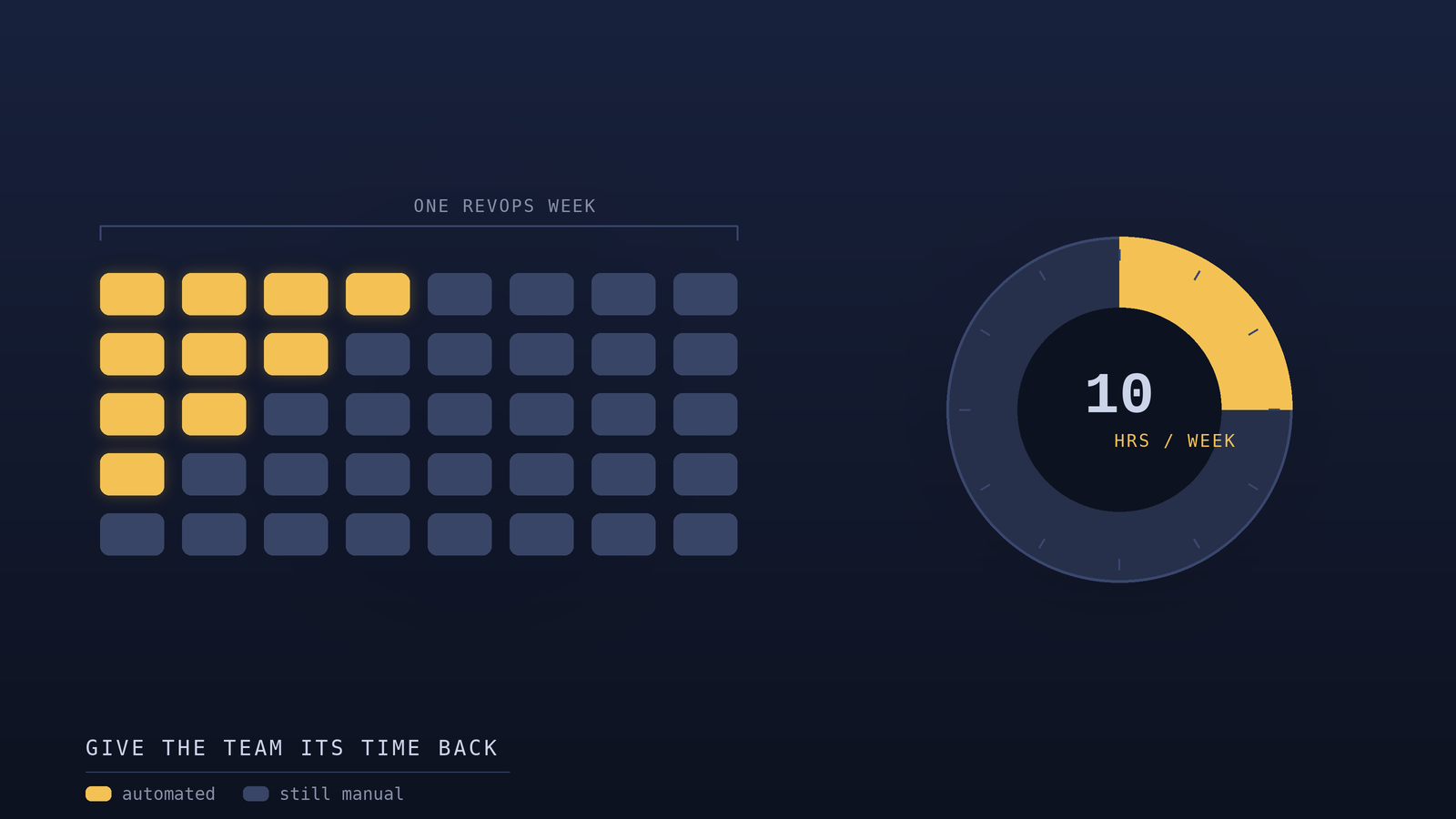
Added together, these five configuration areas recovered approximately ten hours per week across our RevOps team. But the time savings, while substantial, undersell the real impact. The deeper benefit was that the recovered time was the most leveraged time on the team the hours of capable operations people who had been spending their days on repetitive manual tasks instead of the strategic work that actually moves the business forward.
When you free up a skilled RevOps person from manual routing, data cleanup, and report-building, they don't just have more free time. They have time to do the work that only they can do: analyzing why conversion is dropping in a particular segment, designing a better territory model, building the infrastructure for a new go-to-market motion, finding the insight in the data that changes how the team sells. The manual tasks were not just consuming hours; they were consuming the capacity of people who could have been creating far more value with that same time.
This is the real argument for investing in proper platform configuration. It's not primarily about efficiency, though the efficiency is real. It's about redirecting your most capable people from work a machine should be doing toward work only a human can do. The ten hours we recovered weren't just ten hours saved they were ten hours redeployed from maintenance to strategy.
How to Find Your Own Ten Hours
If you want to recover the time your own RevOps team is losing, start with an honest audit of where the time actually goes. For one week, have the team log the repetitive, manual tasks they perform the routing decisions, the data cleanup, the report-building, the administrative overhead. Most teams are surprised by how much time these tasks consume in aggregate, precisely because each one individually feels too small to notice.
Then, for each recurring manual task, ask a simple question: could the platform do this automatically if it were configured to? In our experience, the answer is yes far more often than teams assume. Modern platforms like HubSpot are enormously capable, and most instances use a fraction of that capability. The work of recovering your lost time is mostly the work of closing the gap between what your platform can do and what you've actually set it up to do. Start with the biggest leak, configure it properly, measure the time recovered, and move to the next. The hours add up faster than you'd expect, and the people you free up will create value with that time that dwarfs the effort of the configuration.
TRY BACKCHANNELS FREE
Your next customers are already in the database.
Backchannels gives you 225,000 verified software decision-makers. Filter to your exact ICP, preview matches for free, and push them straight into Salesforce or HubSpot. Pay per contact. No subscription, no contract.
Browse contacts freeNo credit card. Preview before you spend a credit.
No items found.
Final Thoughts
Most RevOps teams don't need a new tool they need their existing one configured properly. Here's the exact HubSpot setup that recovered ten hours a week and redeployed our most capable people from maintenance to strategy.
Published
August 14, 2026
Writer
Joe Backchannels
Share


Most Wanted


12 min read

12 min read

June 2026